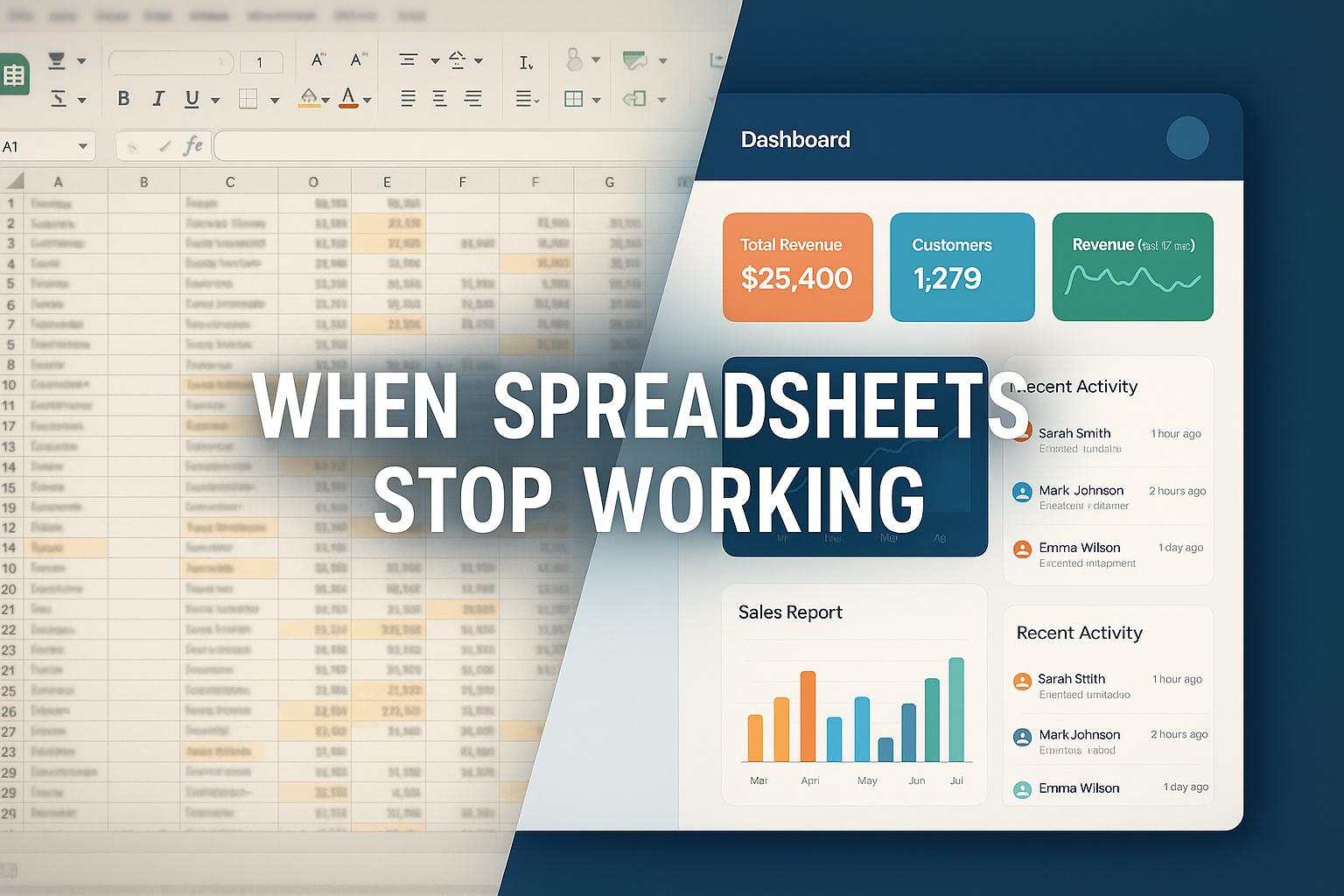
Spreadsheets are one of the most accessible tools in business.
They are inexpensive, flexible, familiar, and easy to start with. A small business can use a spreadsheet to track customers, expenses, inventory, employees, projects, sales, or almost anything else.
For a new or small business, this can work extremely well.
The problem begins when the business grows.
More employees create more data. More customers create more transactions. More departments create more spreadsheets. More processes create more formulas, files, permissions, and manual updates.
Eventually, the spreadsheet that once helped organize the business can become a source of operational complexity.
Businesses do not outgrow spreadsheets simply because spreadsheets are bad. They outgrow them because the complexity of the business eventually becomes greater than what spreadsheets can efficiently manage.
This is an important part of digital transformation.
In our earlier articles, we explored [what digital transformation is] and [what business automation means]. We then looked at [10 business processes that can be automated].
The next question is practical:
When does a business need to move beyond spreadsheets, and what should replace them?
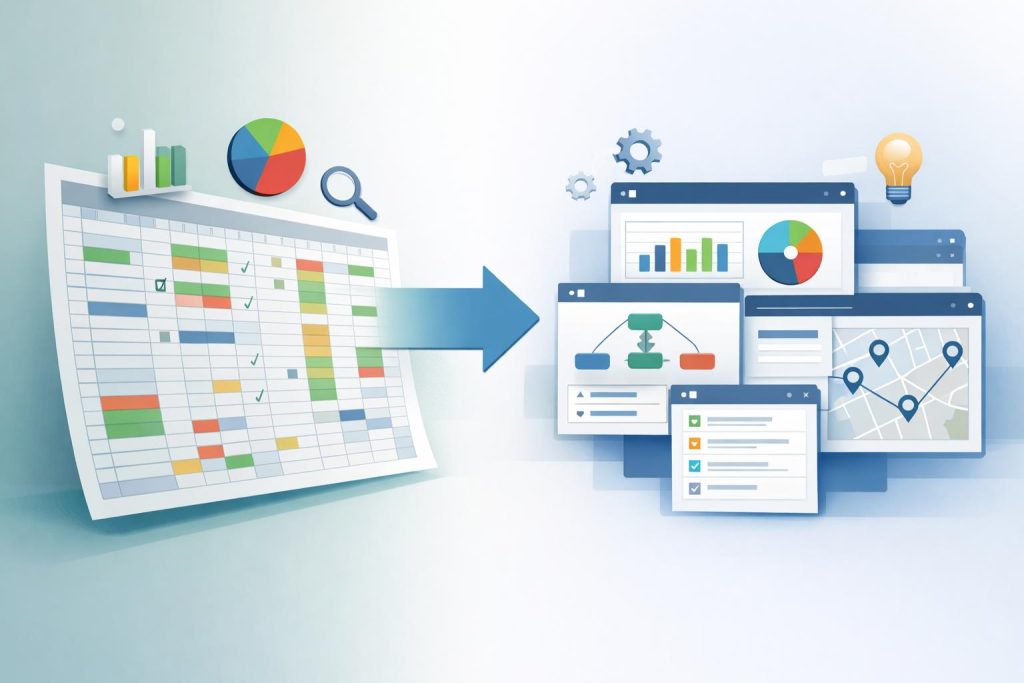
Quick Answer: Why Do Businesses Outgrow Spreadsheets?
Businesses typically outgrow spreadsheets when increasing data volume, users, processes, and operational complexity make spreadsheets difficult to maintain, coordinate, secure, automate, and scale.
Common warning signs include:
- Multiple versions of the same spreadsheet
- Duplicate data entry
- Manual updates across files
- Increasing formula complexity
- Difficulty tracking changes
- Limited real-time visibility
- Poor collaboration
- Repetitive manual work
- Increasing reporting effort
- Data scattered across departments
- Difficult approval processes
- Growing dependence on individual employees
A spreadsheet can remain useful even after a business adopts specialized software.
The issue is not whether spreadsheets should disappear.
The issue is whether spreadsheets are still the right primary system for managing a particular business process.
Why Do Businesses Start With Spreadsheets?
There is a good reason spreadsheets are so widely used.
They solve an immediate problem with very little setup.
A business can open a spreadsheet and immediately create:
- Customer lists
- Sales trackers
- Expense records
- Employee lists
- Inventory sheets
- Project trackers
- Financial calculations
- Reports
- Schedules
There is usually no complex implementation process.
Employees already understand the basic interface.
This makes spreadsheets an excellent starting point for many business activities.
The Problem Is Growth
A spreadsheet can manage a small amount of information very effectively.
But as the business grows, the number of records, users, dependencies, formulas, processes, and integrations can increase rapidly.
The business changes.
The spreadsheet often does not.
1. Multiple Spreadsheets Create Data Silos
One of the first problems growing businesses encounter is fragmentation.
The sales team may maintain one spreadsheet.
Finance may maintain another.
HR may maintain another.
Operations may maintain another.
Management may receive separate reports.
Each spreadsheet may contain useful information, but the information is not necessarily connected.
This creates data silos.
For example:
Sales Spreadsheet
Customer Name → Contact → Deal Value
Finance Spreadsheet
Customer Name → Invoice → Payment
Operations Spreadsheet
Customer Name → Project → Status
The same customer may appear in three different files.
If information changes in one spreadsheet but not another, the organization can end up working with inconsistent data.
2. Duplicate Data Entry Increases
When systems are disconnected, employees often have to enter the same information more than once.
A new customer might need to be entered into:
- A lead spreadsheet
- A customer spreadsheet
- An invoice spreadsheet
- A project spreadsheet
- A reporting spreadsheet
The more times information is manually entered, the greater the opportunity for mistakes.
A connected business system can reduce this duplication by allowing information to be captured once and reused across relevant processes.
3. Spreadsheet Errors Become More Difficult to Detect
Spreadsheets can contain:
- Incorrect formulas
- Incorrect values
- Deleted cells
- Broken references
- Duplicate records
- Outdated information
- Incorrect filters
- Manual calculation errors
A simple spreadsheet may be easy to check.
A large spreadsheet containing thousands of rows, multiple formulas, linked sheets, and several contributors becomes much harder to validate.
The risk increases as the spreadsheet becomes more important to business decisions.
4. Collaboration Becomes More Complicated
A spreadsheet may start with one person.
Later, five employees may need it.
Then ten.
Then several departments.
Now questions begin to appear:
- Who can edit the file?
- Which version is correct?
- Who changed the data?
- What was changed?
- Can two people work on it simultaneously?
- Who owns the spreadsheet?
- What happens when the person maintaining it leaves?
Modern spreadsheet platforms provide collaboration features, but collaboration alone does not solve every problem associated with using spreadsheets as an operational system.
A growing organization often needs structured permissions, workflows, ownership, auditability, and role-based access.
5. Reporting Becomes More Time-Consuming
Reporting is one of the clearest signs that a business is beginning to outgrow spreadsheets.
A manager may ask:
“What were our sales this month?”
Someone may need to:
- Collect information
- Open multiple files
- Clean the data
- Check formulas
- Combine information
- Remove duplicates
- Calculate totals
- Create charts
- Prepare the final report
The report may be accurate.
But the process itself consumes time.
When management needs reports frequently, manual reporting becomes an operational burden.
Connected business systems can instead collect operational information continuously and make it available for reporting.
6. Manual Processes Become a Bottleneck
Spreadsheets primarily store and calculate information.
They do not automatically turn every business process into a workflow.
For example, consider an expense approval process.
A spreadsheet-based workflow might be:
Employee → Spreadsheet → Email → Manager → Finance → Spreadsheet Update
Each step depends on someone remembering what to do.
An automated workflow could instead be:
Expense Request → Validation → Approval → Record Update → Notification
This is where spreadsheet limitations connect directly to business automation.
As discussed in our previous article, automation can remove repetitive manual work from suitable business processes.
7. Spreadsheets Become Difficult to Scale
Scaling is not simply about having more rows.
It is about managing increasing:
- Users
- Data
- Processes
- Departments
- Customers
- Transactions
- Permissions
- Workflows
- Integrations
- Reporting requirements
A spreadsheet can technically contain a large amount of data.
But the question is:
Can the business continue operating efficiently while depending on that spreadsheet?
A system can be technically capable of storing information while still being operationally unsuitable.
8. Important Business Information Becomes Dependent on Individuals
Sometimes a spreadsheet becomes so complex that only one or two employees fully understand it.
They may know:
- Which sheet contains what
- Which formulas should not be changed
- Which columns must be updated
- Which reports depend on which tabs
- Which files are connected
- Which manual steps need to happen every month
This creates knowledge dependency.
If that employee is unavailable or leaves the organization, the business may struggle to understand or maintain the process.
A structured business system can reduce this dependency by embedding workflows, rules, permissions, and process logic into the system itself.
9. Security and Access Requirements Increase
As businesses grow, information becomes more sensitive.
Examples include:
- Employee information
- Financial data
- Customer information
- Contracts
- Business reports
- Commercial information
Organizations may need different users to have different levels of access.
For example:
HR → Employee information
Finance → Financial information
Sales → Customer and sales information
Management → Broader reporting
A growing organization may therefore require structured permissions and access controls rather than simply sharing files between users.
Security requirements should be evaluated based on the actual software, deployment model, data, and regulatory environment involved.
10. Integrations Become Important
Modern businesses rarely use only one application.
They may have:
- CRM
- Accounting software
- HR software
- Payment systems
- Website
- E-commerce platform
- Communication tools
- Project management software
- Analytics platforms
At some point, employees may start manually moving information between these systems and spreadsheets.
For example:
Website → Spreadsheet → CRM → Accounting
Every manual handoff creates additional work.
APIs and software integrations can allow systems to exchange information automatically.
This is one of the key differences between a spreadsheet-centered operation and a connected digital business environment.
11. Approval Workflows Become Harder to Manage
Growing organizations typically have more approvals.
Examples include:
- Expenses
- Purchases
- Leave
- Discounts
- Contracts
- Budgets
- Vendor requests
- Internal requests
Managing these through spreadsheets and email can make it difficult to determine:
- Who approved something
- When it was approved
- What is still pending
- Who needs to act
- What happens next
A workflow system can define these steps explicitly.
Request → Approver → Decision → Notification → Record
This provides greater process visibility than relying on individual emails and spreadsheet updates.
12. Real-Time Visibility Becomes More Important
When a business is small, the owner may personally know what is happening.
As the organization grows, that becomes increasingly difficult.
Management may need answers such as:
- How many active customers do we have?
- Which invoices are outstanding?
- Which projects are delayed?
- What is the current sales pipeline?
- How many tasks are pending?
- What is the current operational workload?
If answering these questions requires collecting information from several spreadsheets, decision-making can slow down.
Connected systems can provide more centralized access to operational information.
What Are the Warning Signs That Your Business Has Outgrown Spreadsheets?
There is no universal employee count or revenue threshold at which a business should stop using spreadsheets.
Instead, look for operational warning signs.
Warning Sign 1: You Have Multiple Versions
If employees regularly ask:
“Which spreadsheet is the latest one?”
the business may have a data-management problem.
Warning Sign 2: Employees Spend Too Much Time Updating Sheets
If significant employee time goes into maintaining spreadsheets rather than performing higher-value work, automation or specialized software may be appropriate.
Warning Sign 3: Reports Require Manual Compilation
If management reports require collecting information from several files every week or month, the reporting process may need to be redesigned.
Warning Sign 4: One Person Understands Everything
If a critical spreadsheet depends on one employee, the process has a knowledge-management risk.
Warning Sign 5: Data Is Repeated Across Files
Repeated customer, employee, product, or financial information creates opportunities for inconsistency.
Warning Sign 6: Approvals Happen Through Email
If important business decisions depend on manually forwarding emails and updating spreadsheets, a workflow system may provide better control.
Warning Sign 7: You Need More Integrations
If employees constantly move information between systems, integration automation may provide significant value.
Does This Mean Businesses Should Stop Using Spreadsheets?
Spreadsheets are still useful tools.
They can be excellent for:
- Ad-hoc analysis
- Quick calculations
- Data exploration
- Temporary tracking
- Small datasets
- Financial modelling
- Planning
- One-time analysis
- Personal productivity
The problem occurs when a spreadsheet becomes the core operational database and workflow system for a growing organization without the controls and structure the organization now requires.
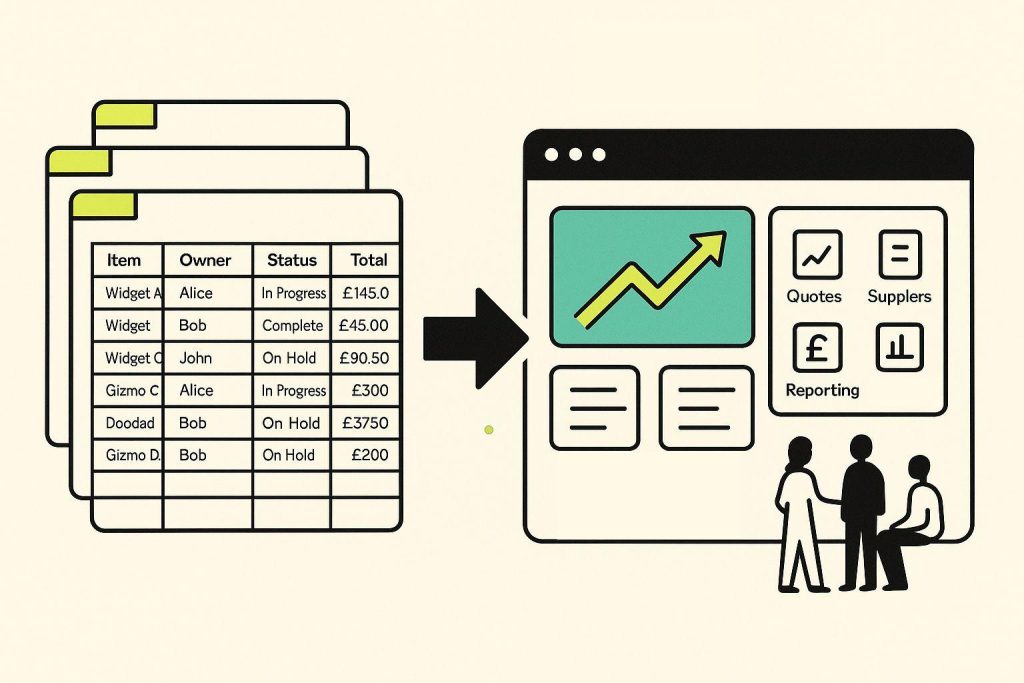
The right strategy is not – “Never Use Spreadsheets“
It is – “Use spreadsheets where they are appropriate, and use specialized systems where the business requires them.”
Spreadsheet vs Business Management Software
The difference becomes clearer when comparing their typical roles.
| Area | Spreadsheet | Business Management Software |
|---|---|---|
| Data entry | Manual | Structured workflows |
| Collaboration | File/platform dependent | Role-based system access |
| Data relationships | Often manually maintained | Typically structured |
| Workflow | Limited/manual | Built-in or configurable |
| Approvals | Often email/manual | Workflow-based |
| Reporting | Often manually prepared | Centralized/automated options |
| Integrations | Possible but often limited/manual | APIs and integrations |
| Permissions | Basic to advanced depending on platform | Usually role-based |
| Scalability | Depends heavily on structure | Designed for organizational processes |
| Automation | Possible | Usually a core capability |
| Auditability | Can be difficult | Often built into business systems |
This does not mean every business needs enterprise software.
The appropriate solution depends on the organization’s size, processes, complexity, budget, and requirements.
What Should Businesses Use Instead of Spreadsheets?
There is no single replacement for every spreadsheet.
The appropriate alternative depends on what the spreadsheet is being used for.
CRM
For structured customer and sales management.
Accounting Software
For financial transactions and accounting processes.
HR Systems
For employee records and HR workflows.
Project Management Software
For projects, tasks, deadlines, and collaboration.
ERP or Business Management Platforms
For businesses that need multiple operational functions connected within a centralized system.
Workflow Automation Tools
For automating repetitive processes across applications.
Business Intelligence Platforms
For advanced analysis and reporting.
In some cases, businesses may use several specialized applications.
In others, an integrated platform can reduce the number of disconnected systems.
How Do You Move From Spreadsheets to Business Software?
Replacing spreadsheets should be treated as a business transformation project rather than simply importing an Excel file into new software.
A practical migration process is:
Step 1: Identify Critical Spreadsheets
List the spreadsheets the business relies on.
Step 2: Understand Their Purpose
Determine what each spreadsheet actually does.
Is it:
- A database?
- A report?
- A calculator?
- A workflow?
- A tracker?
- A planning tool?
Step 3: Identify Dependencies
Find out who uses the spreadsheet and which other processes depend on it.
Step 4: Clean the Data
Remove duplicates, outdated information, and unnecessary records.
Step 5: Redesign the Process
Do not automatically reproduce the spreadsheet structure.
Ask whether the process itself can be improved.
Step 6: Select the Appropriate System
Choose technology based on the actual business requirement.
Step 7: Migrate Relevant Data
Move necessary information into the new system.
Step 8: Configure Workflows
Introduce approvals, notifications, automation, permissions, and integrations where appropriate.
Step 9: Train Users
Employees need to understand the new workflow, not simply the software interface.
Step 10: Retire or Reduce Spreadsheet Dependency
Keep spreadsheets where they remain useful, but remove unnecessary operational dependency.
Why This Is Part of Digital Transformation
Moving away from spreadsheets is not automatically digital transformation.
Simply replacing an Excel file with another application does not fundamentally improve a business.
The real opportunity is to redesign the underlying process.
For example:
Old Process
Spreadsheet → Email → Manual Approval → Spreadsheet Update → Manual Report
Improved Process
Digital Request → Automated Workflow → Approval → Centralized Record → Real-Time Reporting
The second approach changes how the business operates.
That is where spreadsheet modernization becomes part of a broader digital transformation strategy.
Where Does Business Automation Fit?
Business automation can help remove the manual work surrounding spreadsheets.
For example:
Before
Employee enters information → sends email → waits → updates spreadsheet → sends report.
After
Employee submits information → workflow routes request → system updates record → notification is sent → report updates.
This connects directly to our previous article:
[10 Business Processes That Can Be Automated]
Many of the processes discussed there—approvals, employee workflows, invoice processing, customer follow-ups, reporting, and task management—are commonly managed manually through spreadsheets in growing organizations.
The goal is not necessarily to eliminate spreadsheets.
The goal is to eliminate unnecessary manual dependency on them.
When Should a Business Consider an ERP or Integrated Platform?
An integrated platform can become useful when a business has several functions that need to work together.
For example:
Customers + Sales + Finance + HR + Projects + Operations + Reporting
Instead of maintaining separate spreadsheets for each function, an integrated system can provide a centralized operational environment.
This can help reduce:
- Duplicate data
- Manual handoffs
- Fragmented reporting
- Disconnected workflows
- Repetitive entry
- Information silos
However, an integrated platform should be selected based on actual business requirements.
More software does not automatically mean better operations.
What About AI?
AI can introduce another layer of capability beyond conventional spreadsheet replacement.
Traditional business software can structure information and automate predefined workflows.
AI can potentially help with:
- Data classification
- Document understanding
- Information extraction
- Natural-language queries
- Summarization
- Forecasting
- Recommendations
- Decision support
For example, instead of manually reviewing hundreds of customer messages, AI could potentially classify them and route them into appropriate workflows.
This is different from traditional rule-based automation.
The distinction between these approaches becomes particularly important as businesses modernize their operations.
We will explore this in:
[AI Automation vs Traditional Business Automation]
A Simple Spreadsheet Maturity Model
Businesses can think about their spreadsheet usage in four stages.
Stage 1: Personal Spreadsheet
One employee uses a spreadsheet for a specific task.
Low complexity
Stage 2: Team Spreadsheet
Several employees share information.
Moderate complexity
Stage 3: Business-Critical Spreadsheet
The spreadsheet becomes important to daily operations and reporting.
High dependency
Stage 4: Spreadsheet-Dependent Operation
Multiple departments depend on interconnected spreadsheets, manual updates, and spreadsheet-driven workflows.
High operational risk
The goal is not necessarily to eliminate spreadsheets at Stage 1.
The goal is to recognize when the organization is approaching Stage 3 or Stage 4 and evaluate whether a more structured system would provide greater value.
A Checklist: Have You Outgrown Spreadsheets?
Ask your organization:
- Do multiple departments use separate spreadsheets?
- Do we maintain duplicate information?
- Do employees manually copy data between files?
- Do reports require significant manual preparation?
- Do important processes depend on spreadsheets?
- Are approvals managed through email?
- Are employees spending too much time maintaining spreadsheets?
- Is one employee responsible for critical spreadsheet logic?
- Do we struggle to identify the latest version?
- Do managers lack real-time operational visibility?
- Are we trying to connect multiple applications through spreadsheets?
- Are spreadsheet errors affecting business decisions?
- Do we need structured permissions?
- Do we need workflow automation?
- Are our business processes becoming more complex?
The more of these questions you answer with yes, the stronger the case for evaluating alternatives.
Frequently Asked Questions
Are spreadsheets bad for businesses?
No. Spreadsheets are useful business tools. The problem occurs when they become the primary system for managing complex, interconnected, and business-critical processes that require structured workflows, permissions, integrations, and real-time visibility.
When should a business stop using spreadsheets?
There is no universal point based on company size. Businesses should consider moving beyond spreadsheets when data, users, processes, reporting requirements, or operational complexity make spreadsheet-based management inefficient or risky.
What are the biggest problems with spreadsheets?
Common problems include duplicate data, manual entry, version confusion, formula errors, limited workflow automation, fragmented information, difficult reporting, collaboration challenges, and increasing maintenance effort.
What should replace spreadsheets?
The right replacement depends on the business need. Options include CRM, accounting software, HR systems, project management platforms, workflow automation tools, business intelligence platforms, or integrated ERP/business management software.
Can spreadsheets and business software be used together?
Yes. Businesses can continue using spreadsheets for analysis, calculations, planning, and other appropriate tasks while using specialized systems for core operational processes.
Does replacing spreadsheets count as digital transformation?
Not automatically. Digital transformation involves improving how a business operates through technology. Simply moving spreadsheet data into another application may not change the underlying process.
Can automation reduce spreadsheet dependency?
Yes. Automation can reduce manual data entry, reporting, approvals, notifications, and other repetitive processes that are frequently managed through spreadsheets.
Can small businesses outgrow spreadsheets?
Yes. A business does not need to be a large enterprise to experience spreadsheet limitations. Growth in customers, employees, transactions, processes, and operational complexity can create the need for more structured systems.
Key Takeaways
- Spreadsheets are valuable tools, but they are not always suitable as a growing business’s primary operational system.
- Businesses typically outgrow spreadsheets because operational complexity grows faster than spreadsheet-based processes can efficiently handle.
- Duplicate data, manual entry, reporting effort, approval workflows, and disconnected systems are common warning signs.
- Businesses should not eliminate spreadsheets completely; they should use them where they provide value.
- Core operational processes may benefit from specialized or integrated business software.
- Automation can reduce repetitive work and spreadsheet dependency.
- Moving beyond spreadsheets should involve process improvement, not simply software replacement.
- AI can add another layer of capability for businesses looking to modernize more complex workflows.
From Spreadsheets to Smarter Business Operations
Spreadsheets are often where businesses begin.
They provide flexibility, accessibility, and a low barrier to entry.
But as businesses grow, their requirements change.
More customers, employees, transactions, departments, approvals, integrations, and reporting requirements can turn simple spreadsheets into increasingly complex operational systems.
The answer is not to abandon spreadsheets simply because the business is growing.
The answer is to understand where spreadsheets continue to provide value and where the business needs more structured technology.
That may mean introducing workflow automation, specialized applications, integrated business software, or eventually AI-powered systems.
The objective is simple:
Use technology to make the business easier to operate, easier to understand, and easier to scale.
And that brings us to the next stage of this topic cluster.
Next: AI Automation vs Traditional Business Automation
Once a business moves beyond manual spreadsheet-driven processes, the next question is how those processes should be automated.
Traditional automation works through predefined rules and workflows.
AI-powered automation can introduce capabilities such as understanding unstructured information, classification, generation, prediction, and decision support.
Understanding the difference can help businesses determine where traditional automation is enough and where AI can create additional value.
Related Reading
- What Is Digital Transformation?
- What Is Business Automation?
- 10 Business Processes That Can Be Automated
- AI Automation vs Traditional Business Automation
- What Is Artificial Intelligence?
- What Is Generative AI?
- How AI Agents Are Changing Business Operations
- SaaS vs Self-Hosted Software